
Checking your OTR (One-Time Registration) number is a vital step for any student applying for government scholarships via the National Scholarship Portal (NSP). Since 2025, this 14-digit unique ID has become mandatory for both fresh and renewal applications.
If you’ve forgotten your number or haven’t received it via SMS, follow this easy guide to retrieve it.
How to Retrieve a Forgotten OTR Number
If you have already registered but cannot find your OTR ID, the easiest way to find it is through the official portal:
-
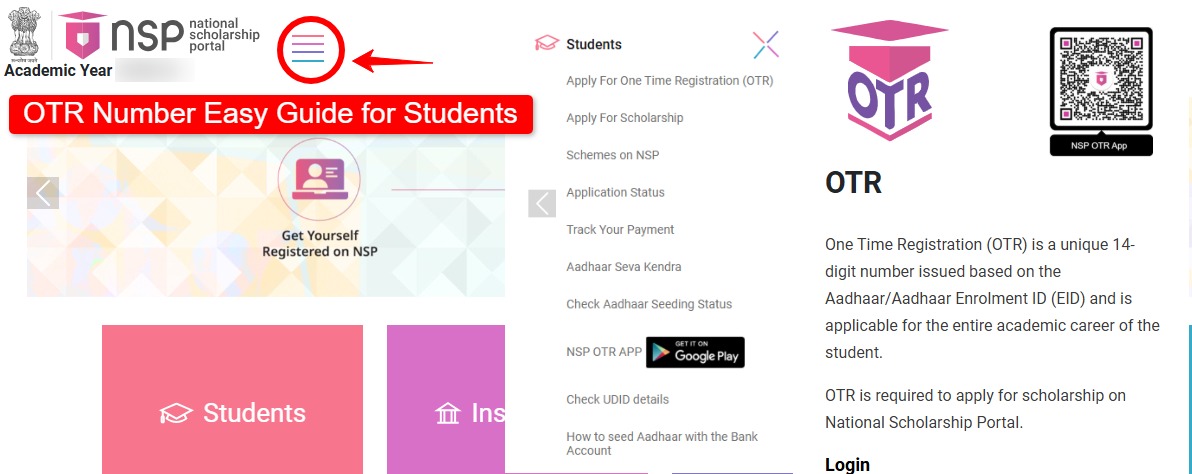
Visit the Official Portal: Go to scholarships.gov.in.
-
Go to Student Section: Look for the “Student Corner” or the “OTR Login” button.
-
Find the Recovery Link: Click on the link that says “Know your OTR” or “Forgot OTR Number”.
-
Enter Your Aadhaar: You will be prompted to enter the Aadhaar Number used during your e-KYC.
-
Verify via OTP: A 6-digit OTP will be sent to your Aadhaar-linked mobile number.
-
View OTR: Once verified, your 14-digit OTR number will be displayed on the screen and sent to your phone.
Didn’t Get Your OTR Yet? (How to Generate It)
If you only have a Reference Number but no OTR number, it means your Face Authentication is still pending.
| Step | Action | Details |
| Step 1 | Download Apps | Install “NSP OTR” and “AadhaarFaceRD” from the Google Play Store. |
| Step 2 | Login | Open the NSP OTR app and select “eKYC with FaceAuth”. |
| Step 3 | Authenticate | Enter your Reference Number and the OTP sent to your phone. |
| Step 4 | Face Scan | Follow the on-screen prompts to scan your face (ensure good lighting). |
| Step 5 | Success | Your OTR number will be generated immediately and sent via SMS. |
Important Things to Remember
-
Validity: Your OTR number is permanent. You do not need to create a new one every year; it stays with you throughout your academic career.
-
Mobile Link: Ensure your mobile number is correctly linked to your Aadhaar, as all recovery OTPs are sent there.
-
Aadhaar Seeding: To receive scholarship money, ensure your Aadhaar is “seeded” (connected) to your bank account. You can check this status in the “Profile” section after logging in with your OTR.
Tip: If you are visually challenged or having trouble with the face-authentication app, you can visit any Common Service Centre (CSC) to complete your registration using fingerprint authentication for a small fee (approx. ₹30).